SketchUp AI Renderer
Best AI render for
SketchUp
Generate photorealistic renders without leaving SketchUp. One-click render from your current viewport — preserve geometry, pick time of day, lighting quality, materials, and output size.
v1.0.74 · 413 KB · Mac + Windows
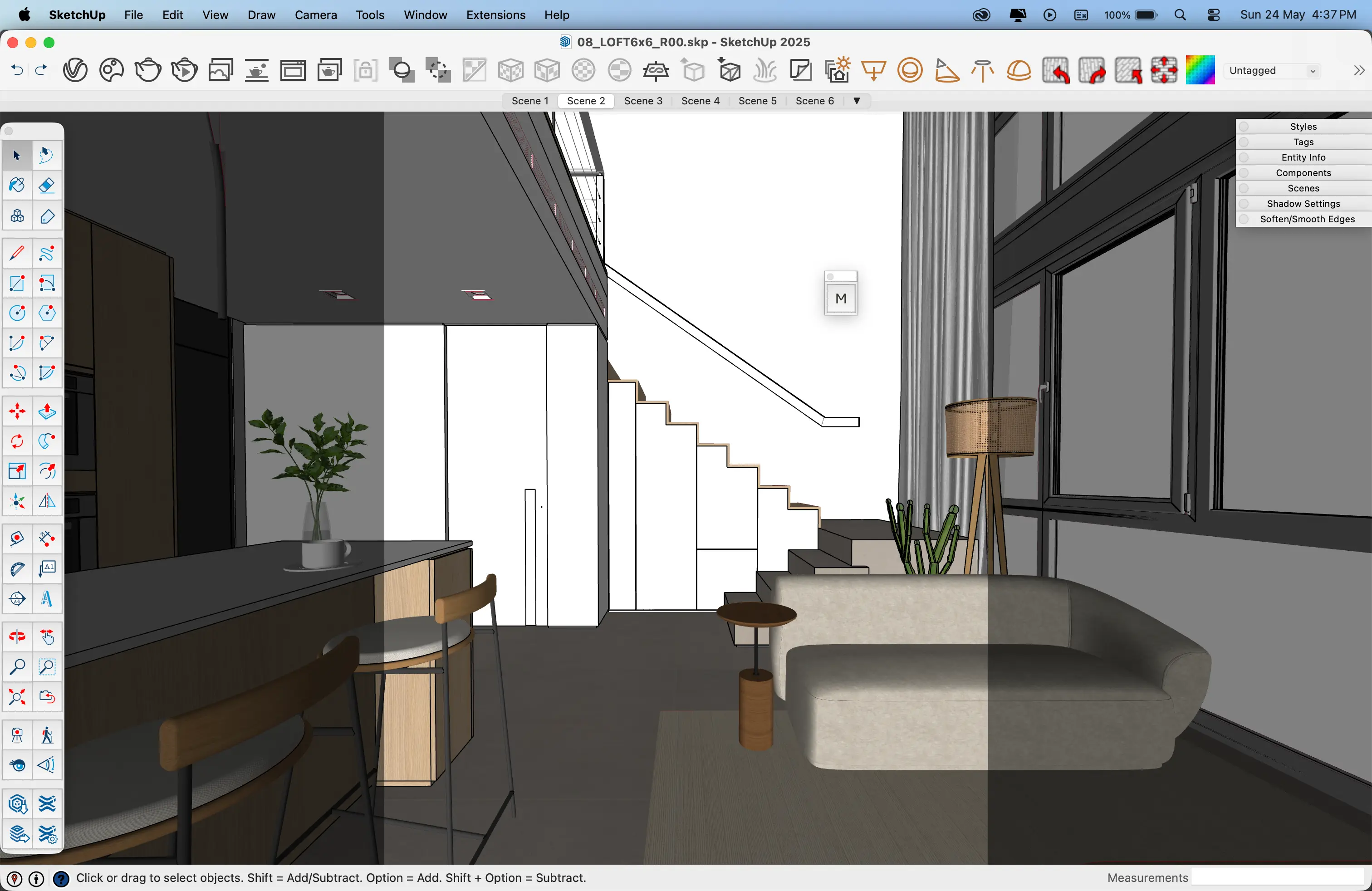
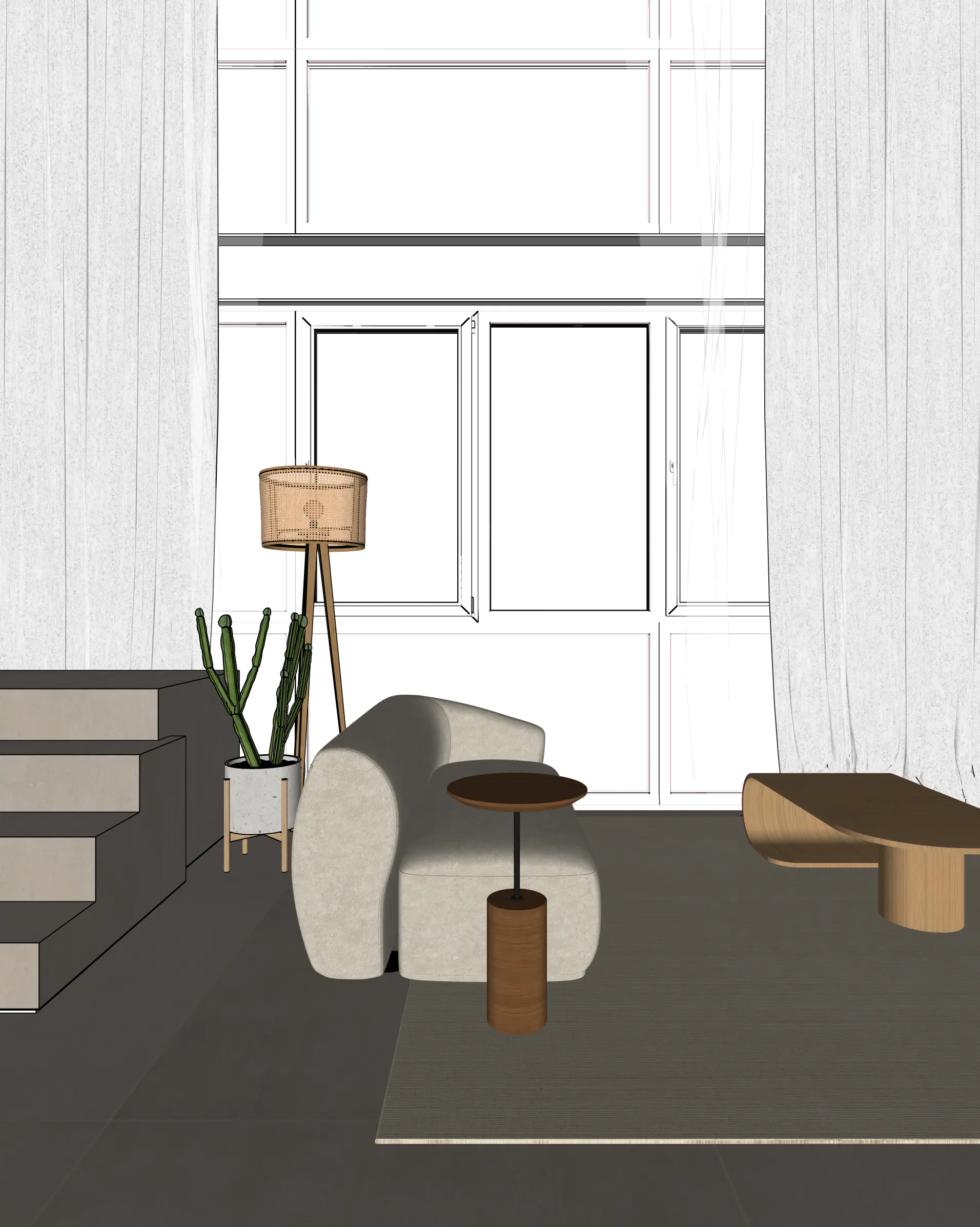
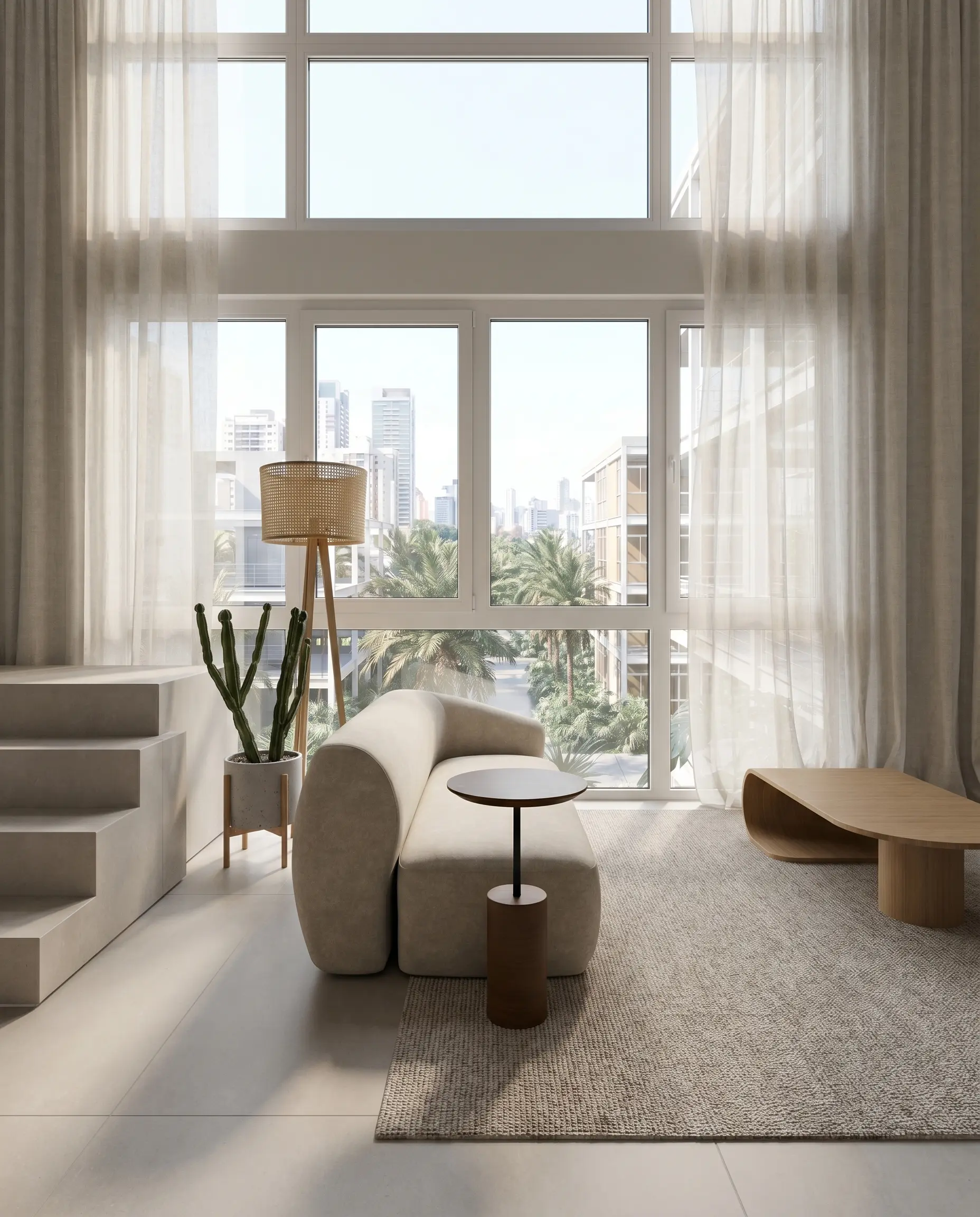
From SketchUp view to finished image
Compare the source view with its Maquete render. Check geometry and finishes against your model before presenting the result.
Plugin render mode
Render
One-click photorealistic render from your current viewport. Set time of day, lighting quality, and output size.
Material colour pass
The plugin sends a separate material-colour pass with SketchUp material RGB, texture and surface-region data, so shadows in the viewport are not mistaken for the real finish.
Getting Started
Up and running in 2 minutes
Download the plugin
Download the .rbz file below. It works on both Mac and Windows, any SketchUp version 2021+.
Install in SketchUp
Open SketchUp. Go to Window > Extension Manager > Install Extension. Select the .rbz file you downloaded.
Log in
Open the Maquete.ai panel from the Extensions menu or toolbar. Log in with your maquete.ai email and password.
Signed up with Google? Go to Settings → Account to set a password first.
Capture & render
Capture your current viewport and start rendering. Adjust time of day, lighting, and output settings.
SketchUp rendering guides
Choose the right workflow before you render
Requirements
Ready to render?
Start a 7-day free trial and try Maquete on a real project.
Explore a 360° panorama
A fixed viewpoint, an interactive 4K panorama and a downloadable image. Each panorama uses 2 credits. Inspect the apartment and cabana examples before preparing your scene.
Virtual tours